
How to set or How to fixed Android Screen Orientation Android Studio Tutorial
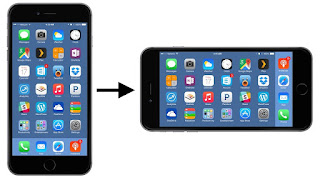
How to change android screen orientation in your app building is a common question for android entry level developer. There are nine types of android screen Orientation. Each orientation works with default, sensor and user mode. And only one mode which is unspecified in properties. If you don't use any android screen orientation properties then it will works as unspecified by default. In order learn how to change android app screen orientation then follow the following steps. (a) android :screenOrientation= "portrait" (b) android :screenOrientation= "landscape" (c) android :screenOrientation= "reversePortrait" (d) android :screenOrientation= "sensorPortrait" (e) android :screenOrientation= "userPortrait" (f) android :screenOrientation= " reverse landscape" (g) android :screenOrientation= "user landscape " (h) android :screenOrientation= "unspecified" (i) android :screenOrientation= ...


Very interesting information that you have shared with us.i have personally thank you for sharing your ideas with us.
ReplyDeleteAndroid Training in Chennai
Android Course in Chennai
JAVA Training in Chennai
Python Training in Chennai
Big data training in chennai
Selenium Training in Chennai
Android Training in Chennai
Android Course in Chennai